Version 1.5 · Windows, macOS & Linux

Animation,
reimagined.

The next generation 2D animation software. Draw, animate and create professional animations with powerful tools and AI.

Scene 01FILEEDITVIEWLAYER
KLB EXPORT PRO
LIBRARY
VIDEO▾
AUDIO▾
EFFECTS▾
draw here · drag the playhead
LAYERS
Character
Background
FX
SCENES
1
TIMELINE00:00:00:00
Layer 1
Layer 2
Layer 3

Everything you need to animate.

A complete toolkit crafted for animators, illustrators and studios.

Professional Timeline

Modern timeline inspired by the best editors, built for animators.

  • Multi-track
  • Keyframes
  • Easing curves
  • Onion skin

Advanced Drawing

Smooth brushes and an infinite canvas that keep up with your hand.

  • Smooth brushes
  • Pressure support
  • Infinite canvas
  • Stabilization

Rigging & Auto Tools

Bone rigging and smart helpers that handle the busywork.

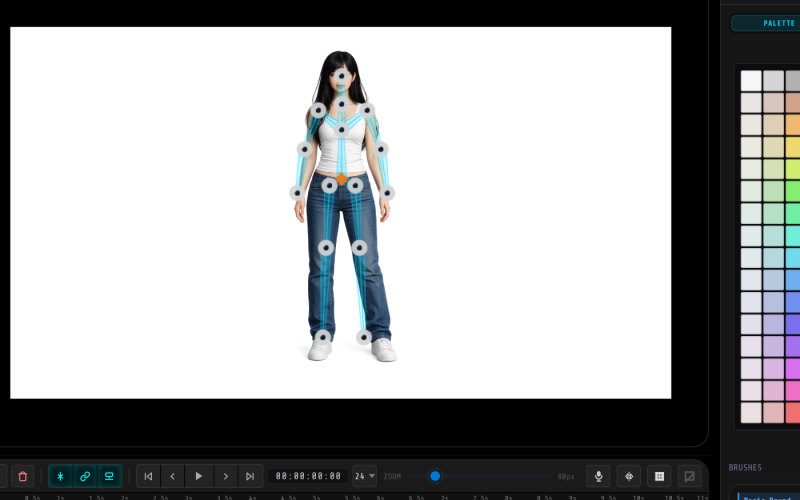
  • Bone Rigging
  • Auto Split
  • Inbetweening
  • Auto Cleanup

Fast Export

Ship anywhere with hardware-accelerated encoding.

  • MP4 (H.264)
  • MOV (alpha)
  • WebM
  • .ani clip

Built for creative flow.

A studio-grade interface that stays out of your way.
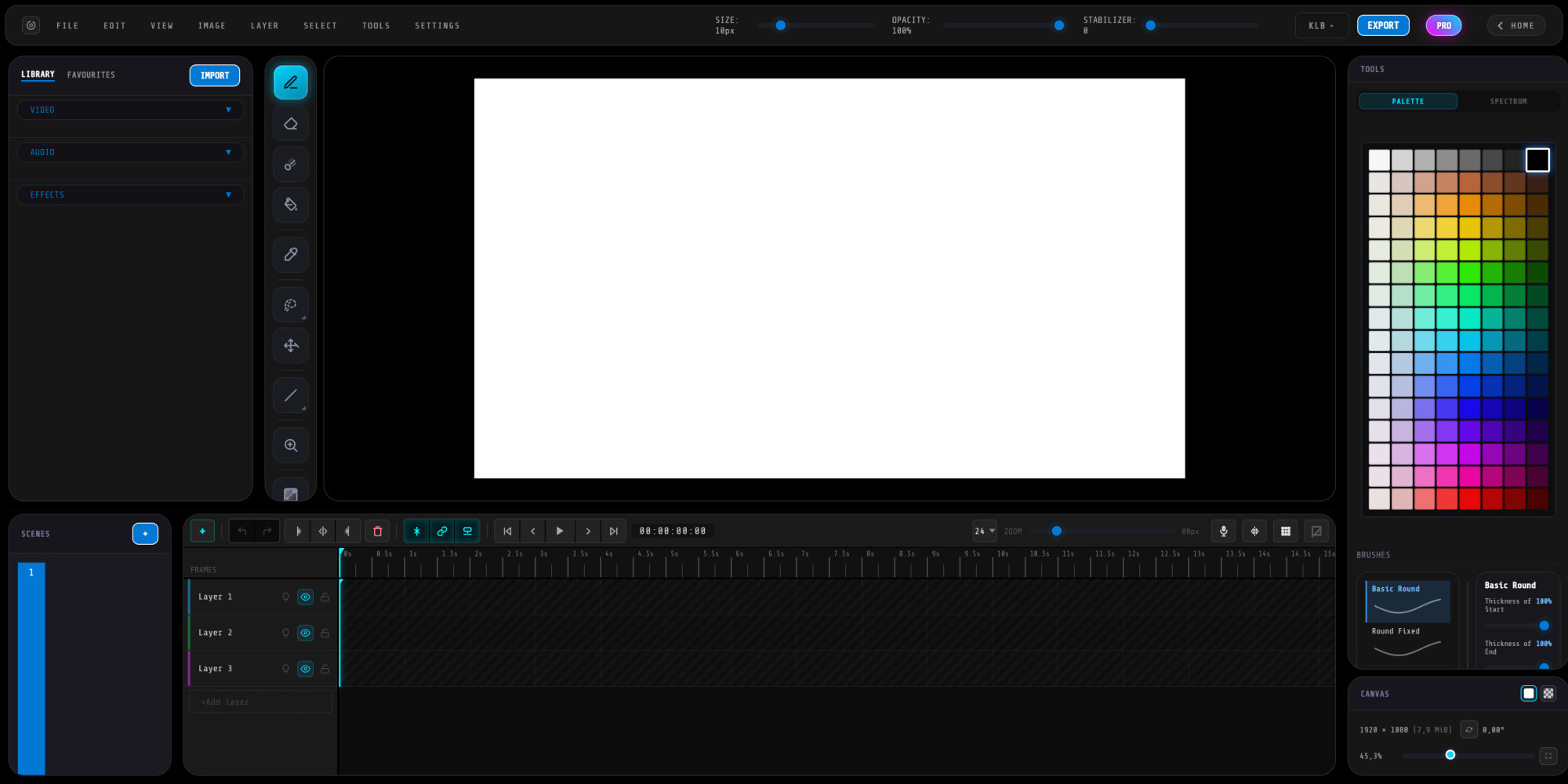
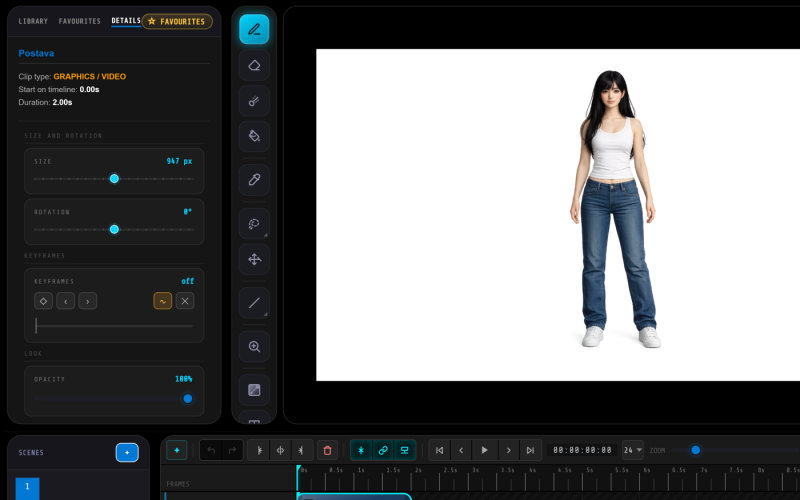
The full ANI CUT workspace
Clip details
Bone rigging in action
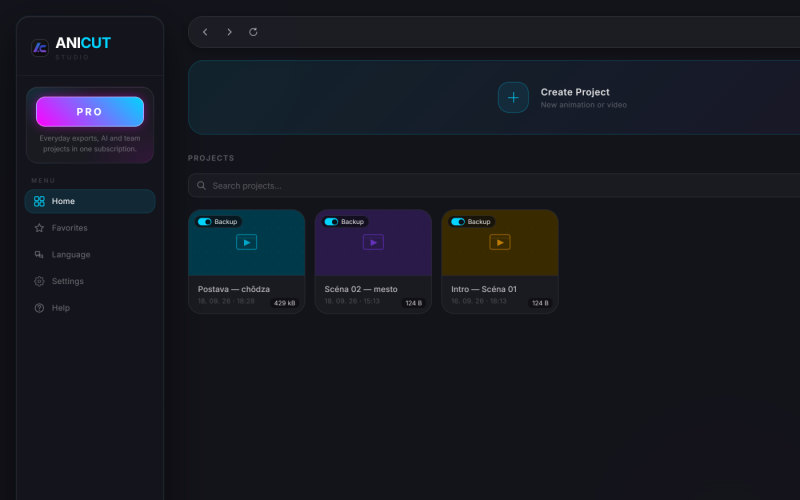
Your projects

ANI CUT 1.5

Version 1.5·Windows · macOS · Linux·64-bit
Download for Windows
Detected your system automatically — or pick below.
Windows blocks the download? (“Windows protected your PC”)

This is normal for brand-new apps that aren’t code-signed yet — ANI CUT is safe. Here’s how to install it:

  1. In the download bar, click … (More) → Keep on ANI-CUT-Setup.exe.
  2. If your browser offers it, choose “Report this app as safe” — it helps remove the warning for everyone.
  3. Open the file. If Windows shows “Windows protected your PC”, click More info → Run anyway.
Free Download No Ads Safe Installer Fast Download

System Requirements

Runs beautifully on modern Windows machines.

Minimum

Get started
CPU
Intel Core i3 / AMD Ryzen 3
RAM
4 GB
GPU
Integrated graphics
Storage
500 MB SSD
OS
Windows 10 (64-bit)

Why ANI CUT?

Fast, modern, and made for professionals.

Lightning Fast

Optimized rendering and instant playback, even on huge projects.

Modern UI

A calm, thoughtful interface that adapts to how you work.

Professional Animation

Everything a studio pipeline needs, without the studio complexity.

Free or Pro.

All of ANI CUT is free. Pro adds a window you can record and normal exports in every project.

Free
ANI-vision Present
€0 forever

The whole of ANI CUT, a gift from ANI-vision. No trial, no cut-down tools.

Pro
ANI CUT Pro
€8.99 / month

Everything in Present, plus screen recording, normal exports and all PRO effects in every project. Cancel any time.

FeatureANI-vision PresentANI CUT Pro
The whole of ANI CUT
Drawing, rigging, animation and editing
Export for ANI-vision (.anix)FreeIncluded
Normal export (MP4 for YouTube and anywhere)€0.50 once per projectIncluded
PRO effects (1,100+)free to try · export €0.70 per projectIncluded
Screen recording (OBS, Win+G, snips)—
Publishing straight to ANI-visionComingComing
AI on our servers—Coming
PriceFree€8.99 / month

Pro is a monthly subscription paid through Stripe. Without Pro, a normal export costs €0.50 once per project (€0.70 with PRO effects), also paid through Stripe.

ANI CUT Pro

Sign in with Google and get Pro here or straight from the app — Pro belongs to your Google account and works in ANI CUT on every computer you sign in on.

€8.99
per month · cancel any time
  • Everything in ANI-vision Present, without the screen-capture protection
  • Normal exports in every project — no €0.50 per project
  • All 1,100+ PRO effects — in every project and export, no surcharge
  • ANI AI and Claude on our servers, cloud and project sync (coming)
  • Publishing to ANI-Vision (coming)
Sign in with your Google account to continue.
Payments are handled by Stripe — we never see your card number. Change your card, download invoices or cancel any time under “Manage subscription”; Pro stays until the end of the month you paid for.

Frequently asked questions.

ANI CUT 1.5 is free to download and use — no ads and no watermarks. Exporting a film for ANI-vision is always free. A normal export (MP4 for YouTube and anywhere else) costs €0.50 once per project, then you export from that project as often as you like. The optional Pro subscription (€8.99 a month, cancel any time) includes every export, all PRO effects and screen recording.
Absolutely. ANI CUT works with Wacom, XP-Pen, Huion and other pressure-sensitive tablets.
Yes — MP4 (H.264), MOV with a real alpha channel for transparent footage, and WebM. Favourite clips save as .ani files, and whole projects as .anicutproj.
Yes. Once installed, ANI CUT runs fully offline. No account or internet connection required.

Help ANI CUT get better.

Found a bug?

Tell us what happened — what you did, what you expected and what went wrong. Screenshots help a lot.

Report a bug

Love it? Repost.

Sharing ANI CUT is the biggest help of all. One tap shares the page — or copies the link.